NativePHP 3.1: The Performance Leap That Makes Your App Actually Feel Native
NativePHP 3.1 changes the game with a single-boot architecture that dramatically improves performance. There's never been a better time to build desktop and mobile apps with Laravel.
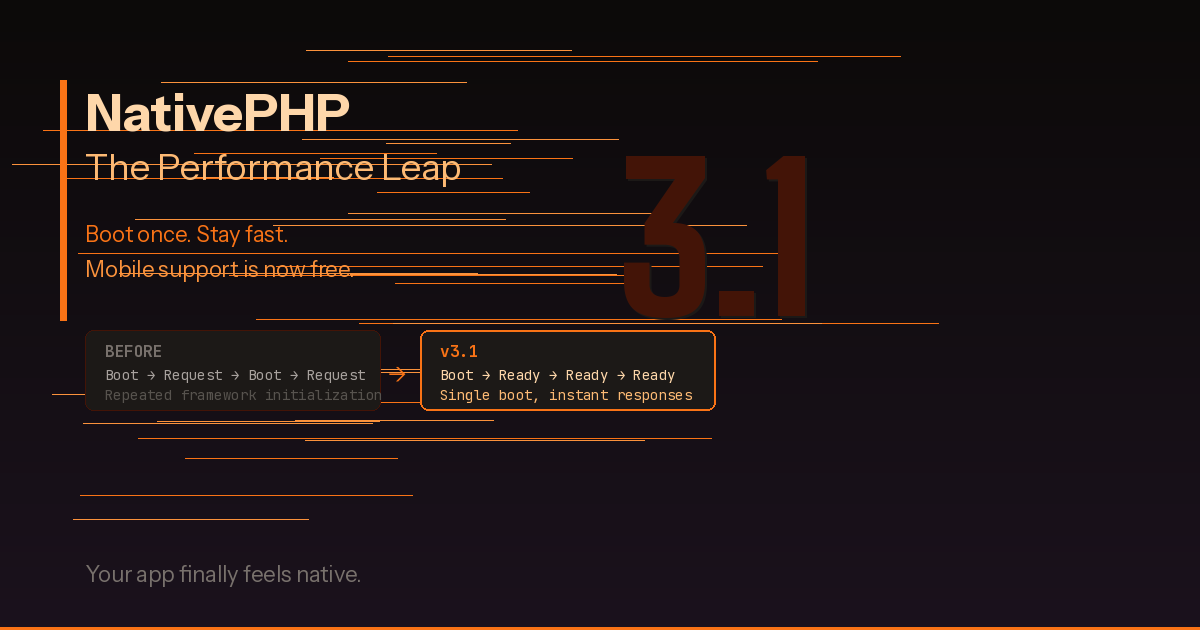
If you’ve been following the NativePHP project, you already know it’s been on an impressive trajectory. But version 3.1, released this month, represents the kind of update that shifts the conversation from “this is a cool experiment” to “this is a legitimate way to build production applications.” The headline? Your Laravel-powered desktop and mobile apps now boot once instead of repeatedly, and the performance difference is night and day.
What Changed in 3.1
The core architectural change in NativePHP 3.1 is deceptively simple to describe but profound in its impact: Laravel now boots a single time when your application launches, rather than re-bootstrapping on every interaction. If you’ve worked with Laravel in a web context, you know that the framework’s boot process — registering service providers, loading configuration, building the service container — is fast by web standards but adds up when it happens repeatedly in a desktop or mobile environment.
Previous versions of NativePHP essentially treated each user interaction like a fresh HTTP request, spinning up the framework each time. It worked, but it introduced a latency that felt distinctly un-native. Click a button, wait a beat, see the result. It was functional, but you could feel the web architecture underneath.
With 3.1, that’s gone. The framework boots once, stays resident in memory, and subsequent interactions are handled against an already-warm application. The result is responsiveness that actually feels like a native application — because at that point, it essentially is one. Your Eloquent models, your service container, your event listeners — they’re all ready and waiting.
Why This Matters for PHP Developers
For years, the knock against PHP for anything beyond web applications has been the request-response lifecycle. PHP was designed to boot up, handle a request, and shut down. It’s a model that works brilliantly for the web but has always been a limitation for long-running processes.
NativePHP 3.1 effectively solves this for the desktop and mobile context. By keeping Laravel resident in memory, you get the developer experience you already know — Blade templates, Eloquent, middleware, events, queues — with the performance characteristics of a compiled native application.
This is significant because it means the skills you’ve spent years developing as a Laravel developer now transfer directly to building desktop and mobile software. You don’t need to learn Swift, Kotlin, or Electron’s quirks. You write Laravel code, and NativePHP handles the bridge to native platform APIs.
Mobile Is Now Free
In a move that caught a lot of the community by surprise, NativePHP for mobile is now completely free. Previously, mobile support required a paid license, which made sense as a sustainability model but created a barrier for experimentation. With that barrier removed, any Laravel developer can now build and ship mobile applications at zero cost for the tooling itself.
This is a big deal for the PHP ecosystem. The ability to go from “I have a Laravel web app” to “I have a Laravel mobile app” without learning a new language or framework lowers the barrier to entry in a way that opens up entirely new project categories for PHP developers.
Think about the internal tools, the client dashboards, the small business apps that PHP developers build every day. Now imagine handing those to users as a native mobile app instead of a responsive web page. The use cases multiply quickly.
Getting Started With 3.1
If you’re already running NativePHP, upgrading to 3.1 is straightforward. Update your dependency via Composer:
composer update nativephp/laravelFor new projects, the setup remains familiar:
composer require nativephp/laravel
php artisan native:install
From there, you’re building a Laravel application with access to native platform features — file system access, system notifications, menu bar integration, window management, and more. The development workflow is hot-reload enabled, so you can iterate quickly without rebuilding from scratch each time.
What You Can Build
The combination of 3.1’s performance improvements and free mobile support opens up practical use cases that were previously either impractical or cost-prohibitive:
Developer tools and utilities. Build CLI companions with a proper GUI. Think database browsers, log viewers, API testing tools — all powered by the same Eloquent and Blade you use daily.
Client-facing desktop apps. Dashboards, reporting tools, inventory management systems. If you’re already building these as web apps for clients, packaging them as a native desktop app adds perceived value with minimal additional effort.
Mobile prototypes and MVPs. Need to validate a mobile app idea quickly? If you already know Laravel, you can have a working prototype on a device faster than learning React Native or Flutter from scratch.
Internal business tools. The kind of small, focused applications that every organization needs but nobody wants to build as a full native app. Time trackers, approval workflows, data entry forms — all shipped as installable applications.
The Bigger Picture
NativePHP 3.1 is part of a broader trend in the PHP ecosystem toward expanding what’s possible with the language. Between PHP 8.5’s new features pushing the language forward, Laravel continuing to set the standard for developer experience, and NativePHP now making desktop and mobile development genuinely practical, the platform story for PHP has never been stronger.
For PHP developers who’ve ever felt boxed in by the “it’s just a web language” narrative, this is your moment. The tools are here, the performance is real, and the barrier to entry is the lowest it’s ever been.
Check out the full release notes and documentation at nativephp.com. If you’ve been waiting for the right time to try NativePHP, version 3.1 is it.